
Getting hold of the data
Last week I started a new 18-week running programme, which means I started collecting data.
But what data do I have? And more importantly, do I really “have” them?
The answer to the latter is unfortunately “no”. At least not directly.
I can open Garmin Connect and see plenty of beautiful graphs about my runs. So I know the data exist. The problem is that seeing data isn’t the same as having data.
I’m starting this project without a clear idea of how to get them.
I know it’s possible; I just don’t know how.
Most data science projects don’t begin with data. They begin with an idea. Finding the data is often the first challenge.
The obvious start
My data being collected by my Garmin device, I first started looking for my data on the Garmin websites, and eventually found Garmin’s data management page where users can request an archive containing all of their data.
This isn’t quite what I was hoping for. I don’t want to have to make a manual request and wait for a while every time I want to update my data. But if the data are good, I can live with that.
About an hour later, I received an email inviting me to download my data archive. I downloaded and opened the archive and, here is what the data look like 👇
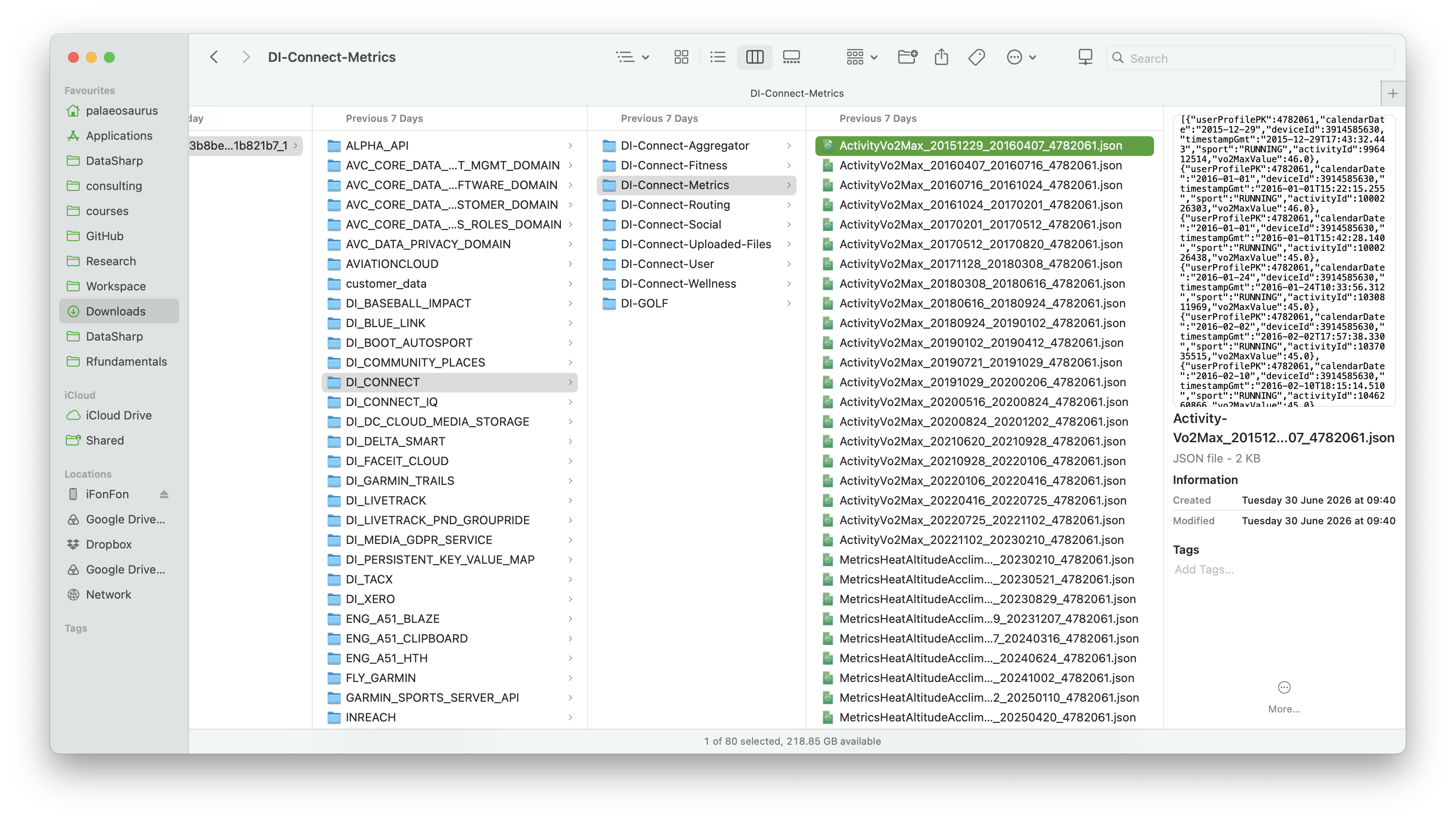
The archive contains dozens of folders and subfolders, themselves filled
with hundreds of JSON files. If I zoom in on one of these JSON
files, the data look like that:
[
    {"userProfilePK":47820xx,
        "deviceId":3432548632,
        "calendarDate":"2023-05-21",
        "timestamp":"2023-05-20T22:05:05.0",
        "altitudeAcclimationTimestamp":"2023-05-20T22:05:05.0",
        "previousAltitudeAcclimationTimestamp":"2023-05-20T22:05:05.0",
        ...
    },
    {"userProfilePK":47820xx,
        "deviceId":3432548632,
        "calendarDate":"2023-05-21",
        "timestamp":"2023-05-21T08:50:09.0",
        "altitudeAcclimationTimestamp":"2023-05-21T08:50:09.0",
        "previousAltitudeAcclimationTimestamp":"2023-05-21T08:50:09.0",
        ...
    },
    ...
]
The data are structured, but not in a format that’s convenient for analysis. To make any analysis, I would have to:
- make sense of all these files to find the specific information I need for my analysis;
- write scripts to extract and store it in a tabular format.
The good news is that I now know I can access the data I need. But to use those, I will need to add a substantial layer of data engineering. Which is feasible, but it would consume a lot of time solving a problem someone else may already have solved. So I’ll only consider this option if I can’t find better solutions.
Let’s keep looking 🕵
Looking for alternatives
At this point, I know I can access my data. But before diving in head-on, I want to take some time to explore more options.
The API
Garmin does have an API, i.e. an interface that one can query to extract data. Unfortunately, it isn’t available for small personal projects like this one.
Although APIs are often the best way to acquire data, especially when they need to be regularly updated, it cannot be my solution this time.
Whatever you need, it probably already exists
One of the best things about modern data science is the amount of high-quality open-source software already available.
When you have to do something that feels quite complex, or at least time consuming, do a quick online search. Chances are, you’ll find a tool that does what you want.
Platforms like GitHub host millions of data tools that are ready to use.
And once again, it did not disappoint. I didn’t need to search long to
find a Python tool called GarminDB that does exactly what I was
looking for.
It gets the data from my Garmin account automatically, processes all
these JSON files on its own, creates relational databases, in which
data are stored in nice tables. In other words, instead of adapting my
project to Garmin’s export format, I can use a tool that adapts Garmin’s
data to my project.
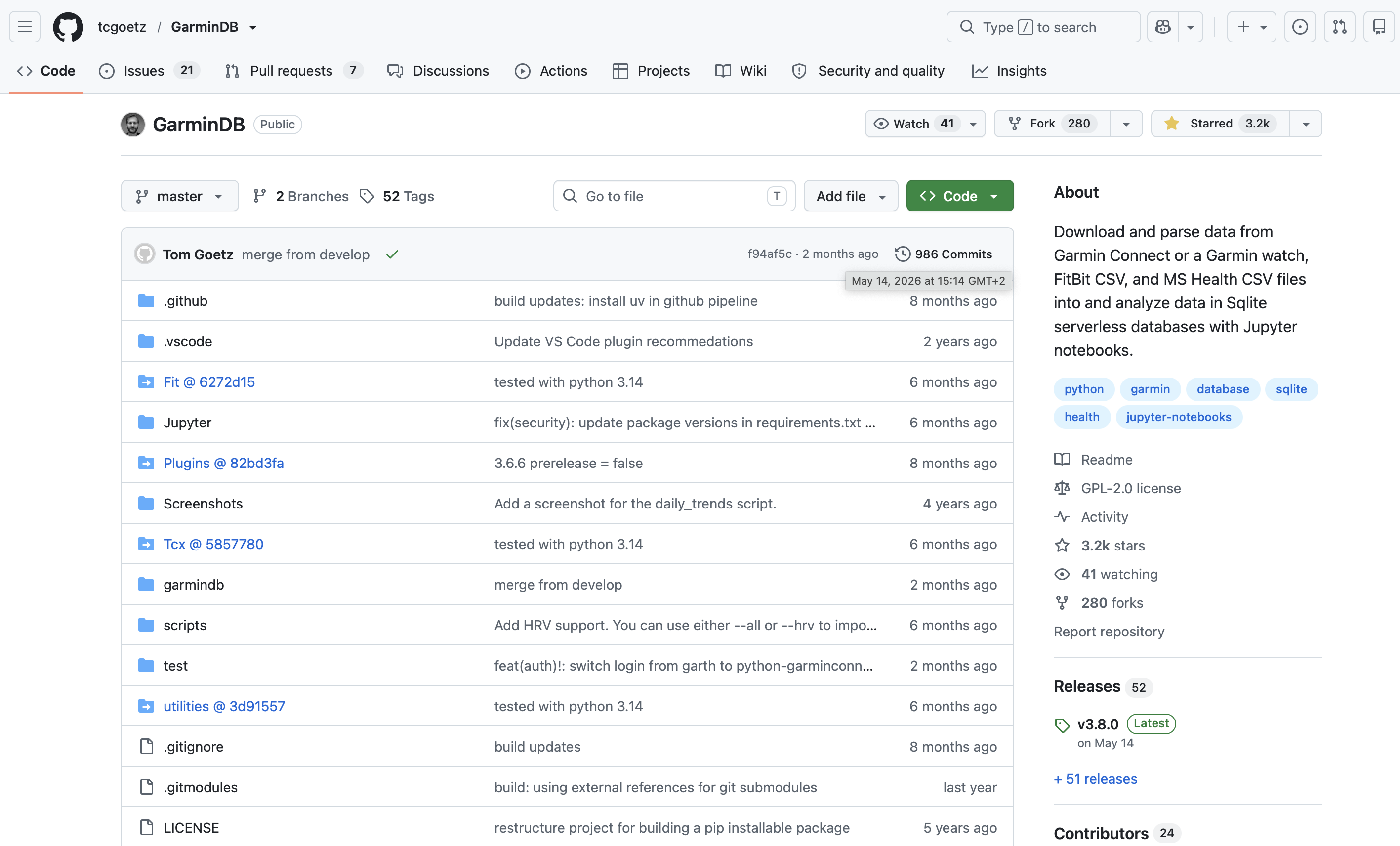
https://github.com/tcgoetz/GarminDB
But before I can use it, I first need to install it and organise the project so that everything remains easy to update over the coming months.
That may sound like a technical detail, but experience has taught me
that spending a little time structuring a project at the beginning can
save lives can save a huge amount of time later.
That’s what we’ll do in the next chapter, where I will show you how to use this tool.